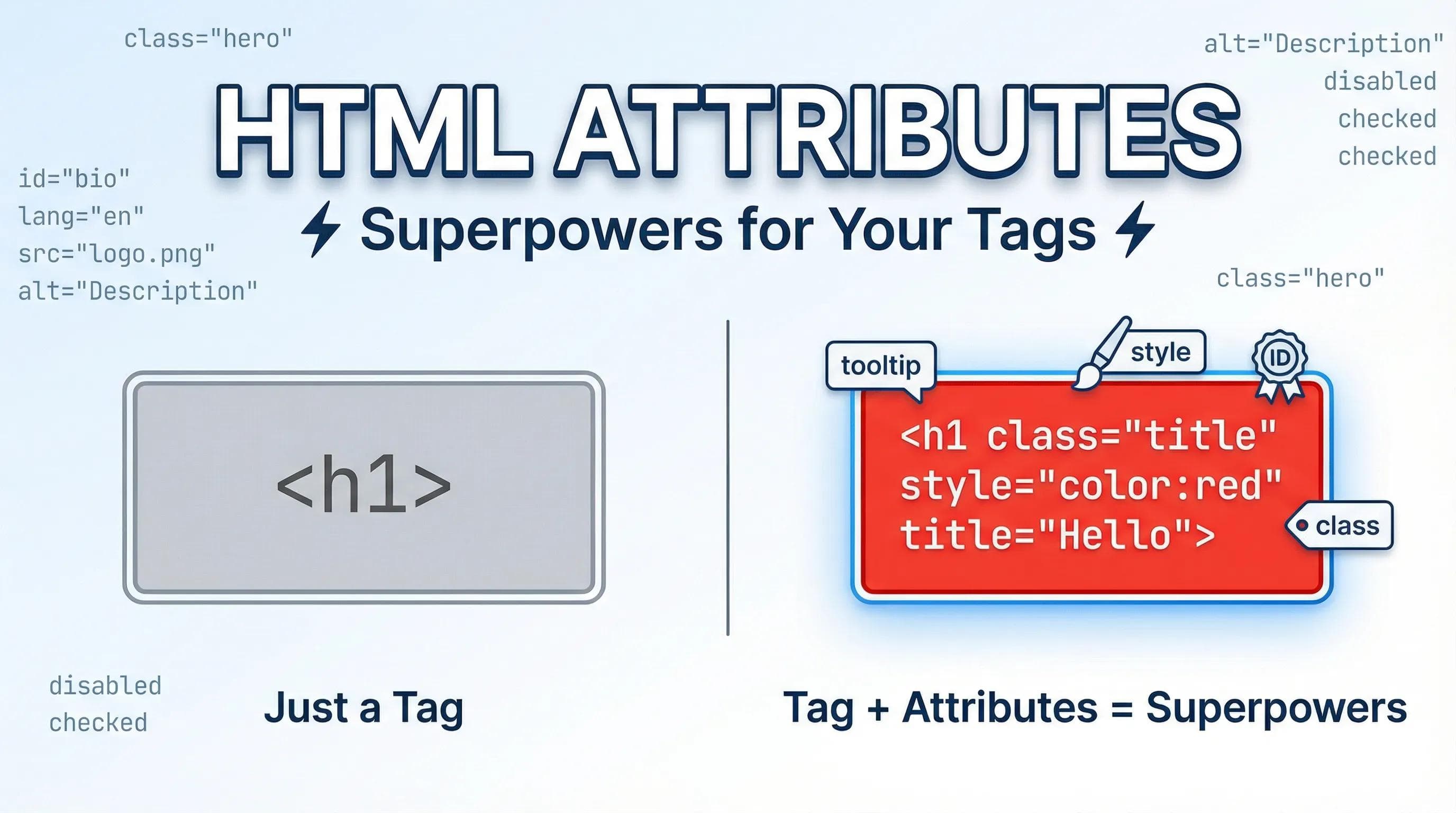
Tags are Simple, Attributes are Smart
In the previous post, we learned how to structure text using tags like
<h1> and <p>. But let's be honest—plain text is a bit limited.
- What if you want to make a specific paragraph Red?
- What if you want to tell Google that your page is in English?
- What if you want to show a secret message when someone hovers over a title?
You cannot do this with just tags. You need Attributes.
The Car Analog!
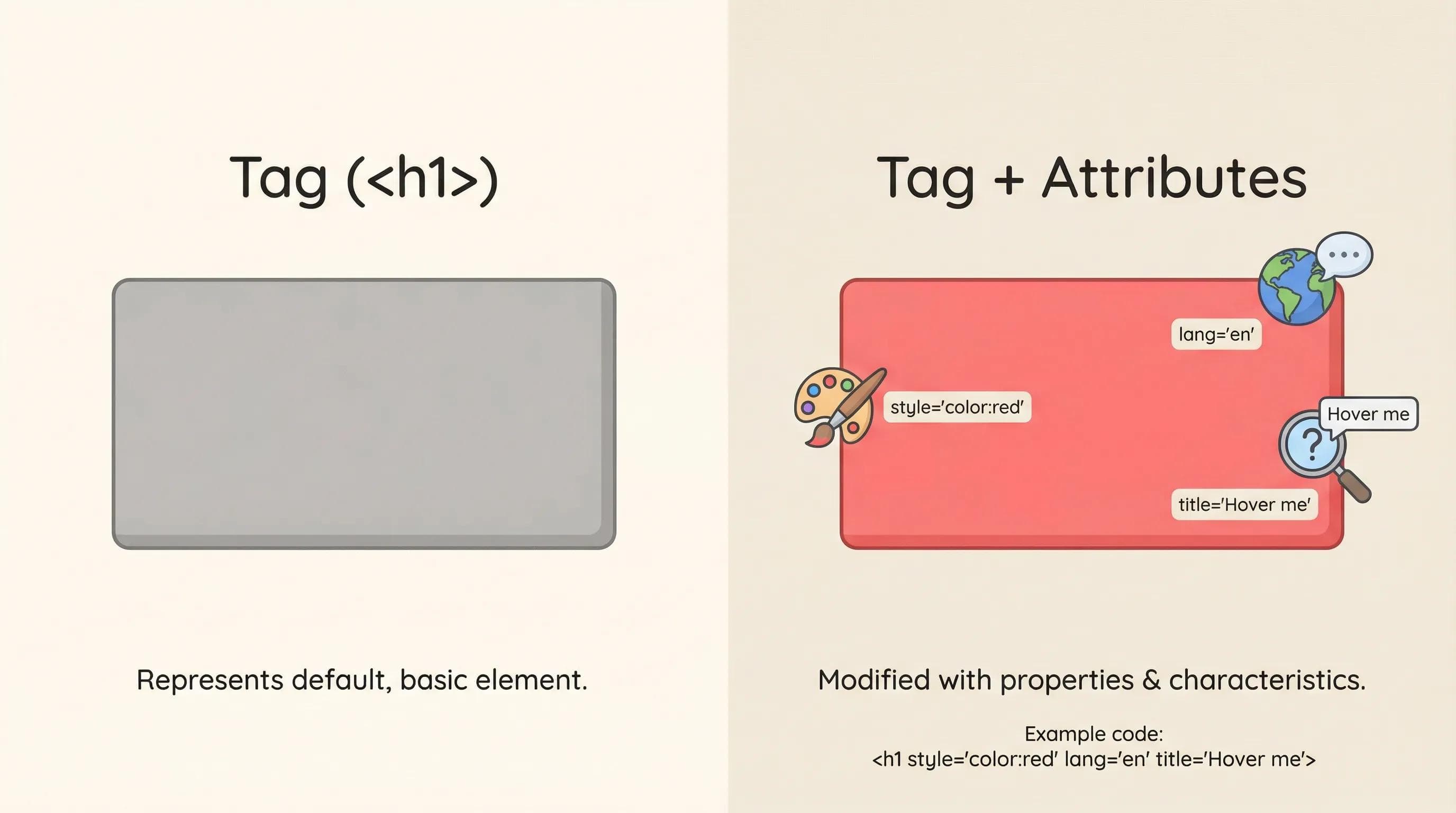
If the <h1> tag is the Car, then Attributes are the Model, Color, and Number Plate. The tag defines what it is; the attribute defines how it looks or behaves.
The Golden Rule: Syntax (name="value")
Attributes have a very strict grammar and if you mess up the punctuation, the superpower won't work.
Three Rules to Remember:
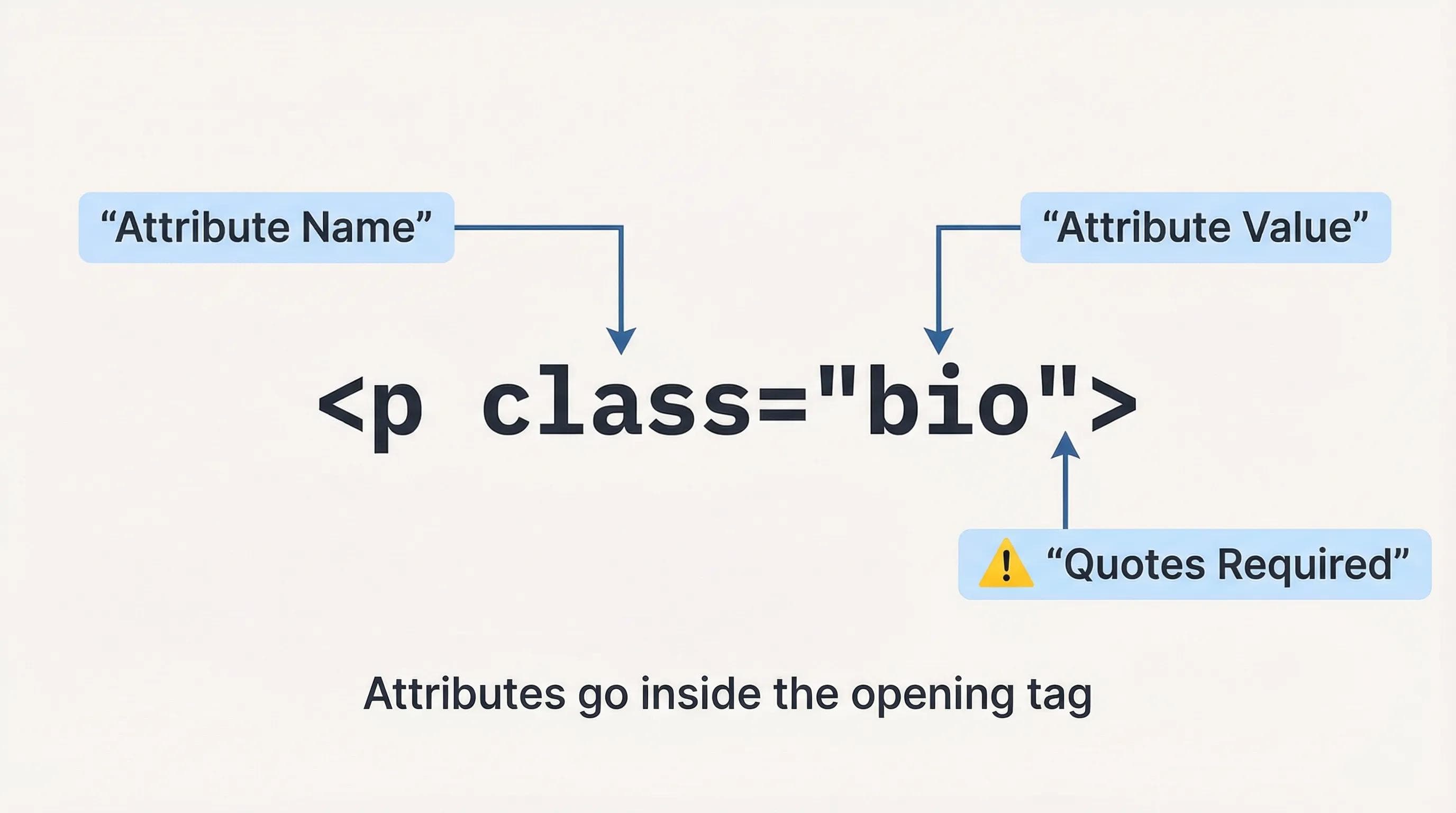
- Attributes ALWAYS go inside the Opening Tag (never the closing tag).
- They follow the format:
name="value".
- Crucial: You must wrap the value in Quotes (
"").
Simple Superpowers: title, style, & lang
Let's look at three attributes you can use right now to make your page interactive.
1. title (The Tooltip)
This attribute adds a secret hover effect.
html
<h1 title="This is my Portfolio">Hello World</h1>- Result: When you move your mouse over "Hello World", a small box appears saying "This is my Portfolio".
2. style (The First Look at CSS)
This attribute allows you to change the look of an element directly.
html
<p style="color: red;">This text is dangerous!</p>- Result: The text turns red. (We will learn a better way to do this later, but this works for now!)
Is this CSS?
Yes! You just wrote your first line of CSS (Cascading Style Sheets). Technically, this is called "Inline CSS".
Note: In professional web development, we usually don't write styles inside HTML like this (it gets messy). We will learn the "Professional Way" later in the CSS Series. For now, use this attribute just to test colors and fonts!
3. lang (The Identity)
You might have seen this in the boilerplate:
<html lang="en">.- Result: This tells search engines (Google) and Screen Readers that the page is in English. If you were writing in Hindi, you would use
lang="hi".
The Big Two: ID vs. Class (The Logic Core)
This is the most important concept in this entire blog. Later, when we use CSS (Design) and JavaScript (Logic), we need a way to target specific elements. We do this using ID and Class.
But what is the difference?
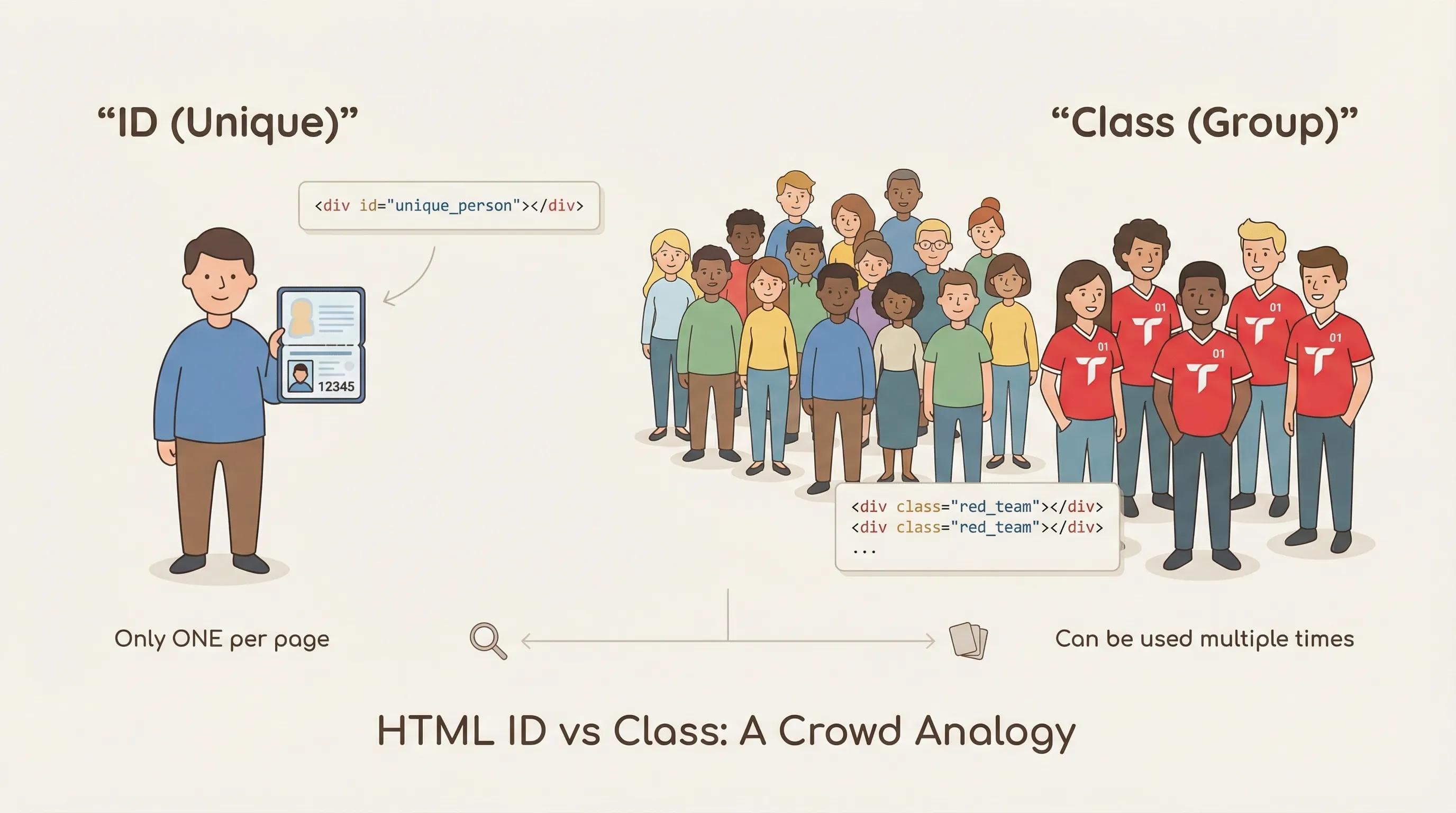
1. The ID (id) = Passport
- The Rule: An ID must be UNIQUE.
- No two or more elements on the same page can have the same ID.
- Use Case: Use this for unique sections like a Header, Footer, or a specific button or element.
2. The Class (class) = Uniform
- The Rule: A Class is for GROUPS.
- Many elements can share the same class.
- Use Case: Imagine you want 10 different paragraphs to look "Bold and Blue." You give them all the same class name (eg.
class="highlight").
The AI Angle: The "Quote" Trap
AI tools like ChatGPT or Gemini are great at generating attributes, but they sometimes get lazy with syntax.
The Missing Quote Error !
If you write <h1 class="title>Error</h1> (missing the closing quote), the browser will get confused and might hide the rest of your page. AI might generate complex code, but YOU need to have the sharp eyes to check if every opening quote " has a closing quote ".
Practical Task: Supercharge Your Profile
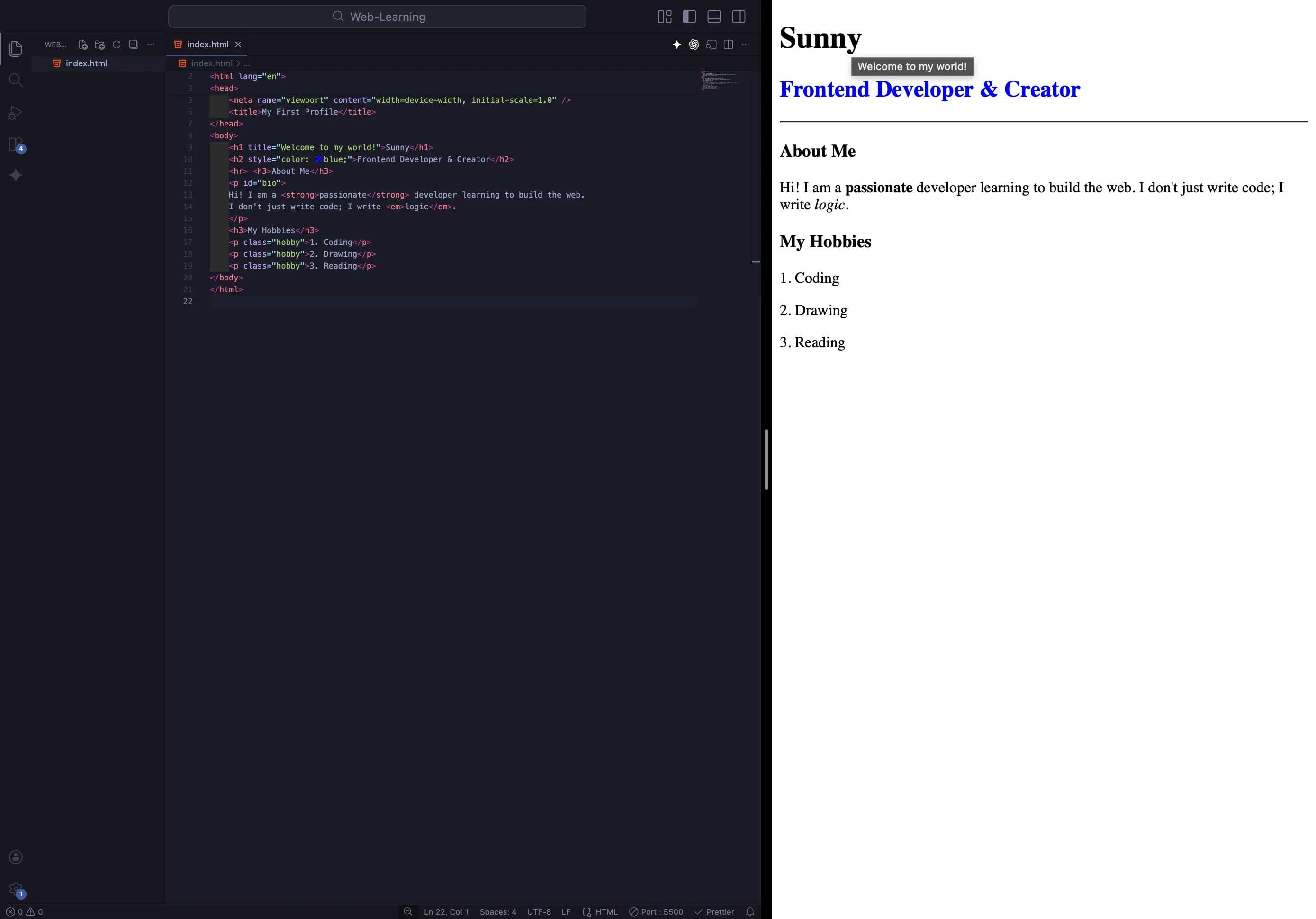
Let’s go back to our "About Me" page from the last blog and give it some superpowers.
Update your
index.html like this code:html
<body>
    <h1 title="Welcome to my world!">[YOUR NAME]</h1>
    <h2 style="color: blue;">Frontend Developer & Creator</h2>
    <hr> <h3>About You</h3>
    <p id="bio">
    Hi! I am a <strong>passionate</strong> developer learning to build the web.
    I don't just write code; I write <em>logic</em>.
    </p>
    <h3>Your Hobbies</h3>
    <p class="hobby">1. Hobby</p>
    <p class="hobby">2. Hobby</p>
    <p class="hobby">3. Hobby</p>
</body>
Time to Experiment!
Don't just copy-paste this! Go ahead and play with the code.
- Try changing the
color: bluetocolor: purpleorgreen. - Add a
titleattribute to your paragraph about hobbies. - Try giving two elements the same
idand see if VS Code warns you (it might not, but it's still wrong!).
The best way to master these concepts is to break things and see what happens. If it breaks, great! That means you are learning how to fix it.
Conclusion
Your HTML tags are no longer just dumb containers; they now have identity (ID), group membership (Class), and style.
But there is still a major problem. Right now, your website is a Lonely Island. It is a single page. You cannot click a button to go to "About" or "Contact." It doesn't connect to Google or YouTube.
The web is meant to be the "World Wide Web" - a connected spiderweb.
In the next blog post, we will build bridges, we will learn about the Anchor Tag (
<a>), understand the difference between Absolute vs. Relative Paths, and finally turn your single page into a connected website.Get ready to link the world.
You can Read next part from here - READ NOW!
HTML Series: Your First Step in Modern Web Development (2026)
Step 5 of 22