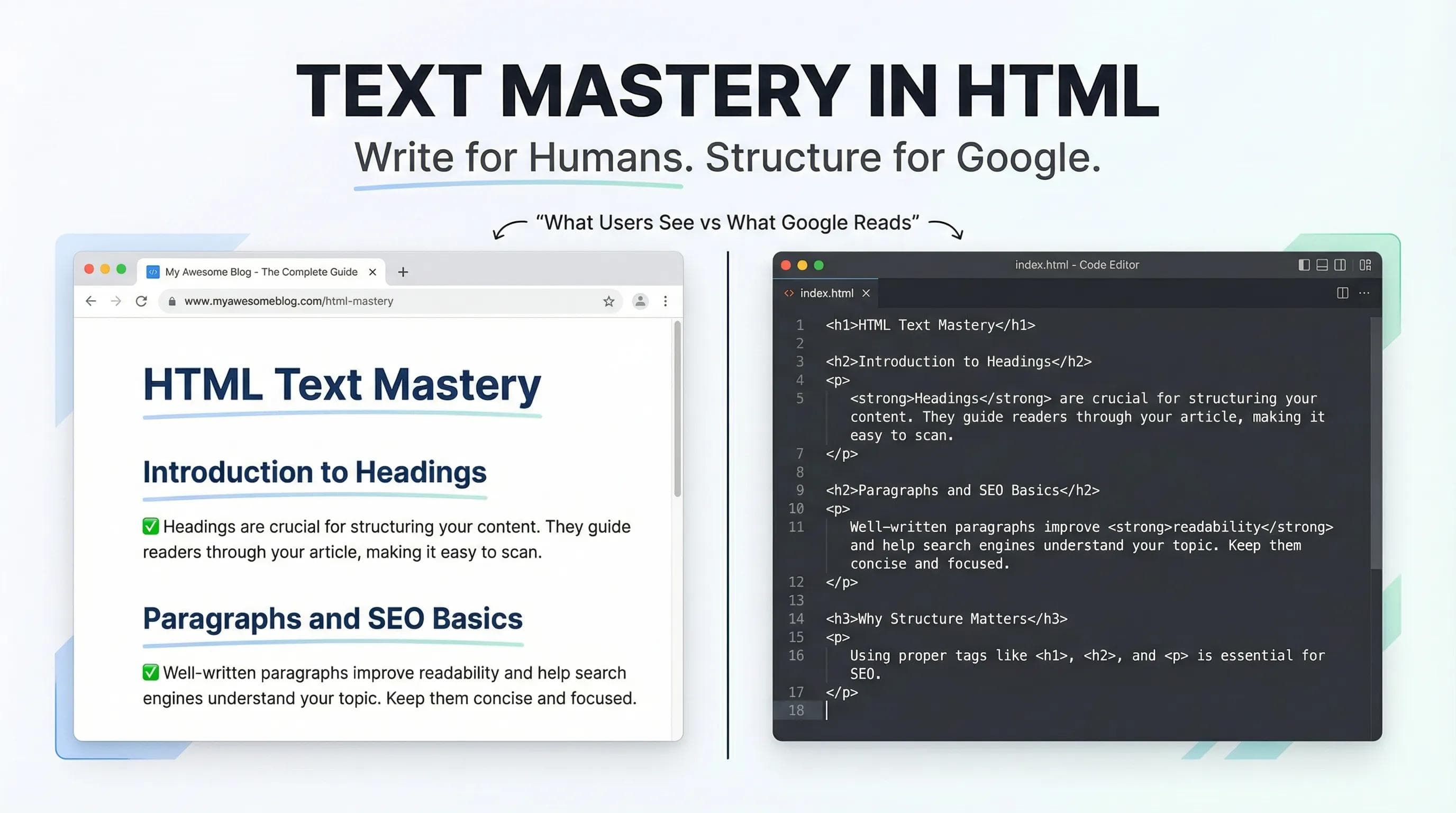
Content is King!
In the previous post, we built the Boilerplate — the skeleton of our website. But right now, that skeleton is empty.

A website without content is just an empty frame. But here is the catch: You can't just type text into VS Code like it’s Microsoft Word.
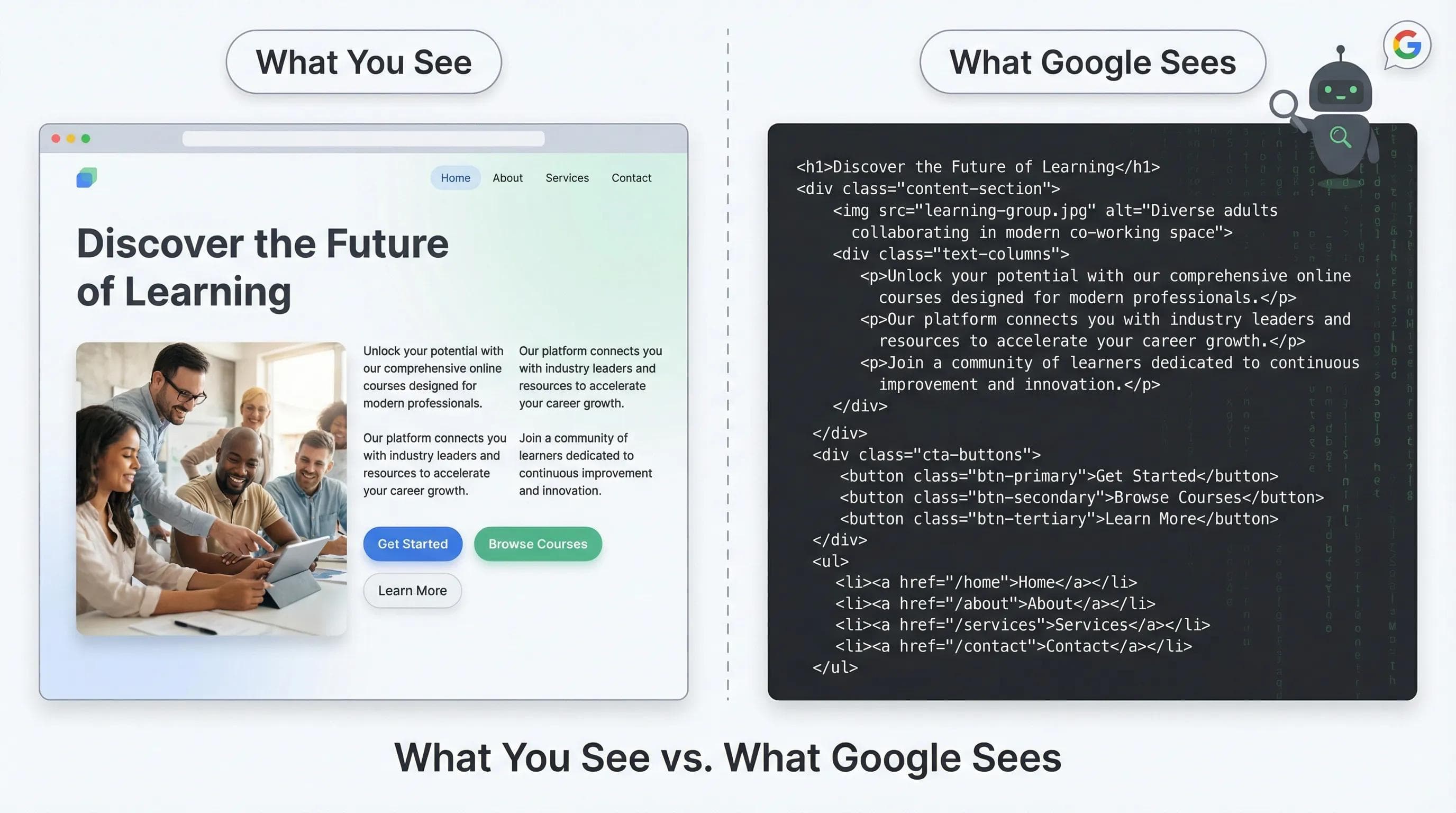
Google is blind. It doesn't "see" big fonts or bold colors. It "reads" your tags. If your text structure is messy, Google will ignore your website. Today, we fix that.
The Hierarchy: Headings (<h1> to <h6>)
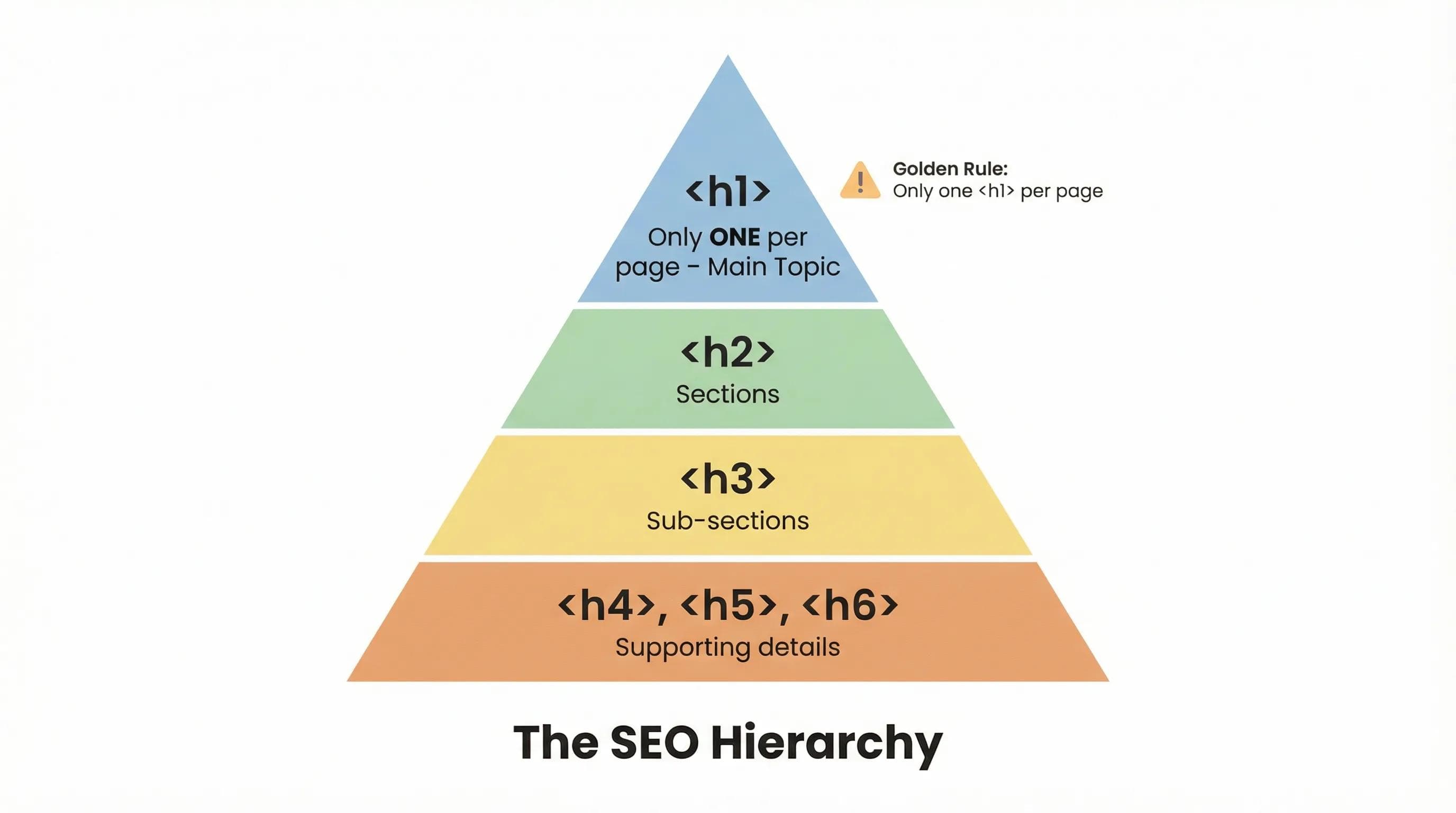
Headings are the headlines of your website. HTML gives us 6 levels of headings, from
<h1> (Biggest) to <h6> (Smallest).But beginners make a massive mistake here. Do not use Headings just to make text BIG. Use them to show Importance.
The Newspaper Analogy:
<h1>(The Front Page Headline): This is the main topic of the page.<h2>(Section Titles): Like "Sports," "Politics," or "Weather."<h3>(Sub-points): Specific news inside those sections.
The Golden Rule of SEO!
You must have only ONE <h1> per page. If you have five <h1> tags, Google gets confused and thinks "What is this page actually about?"
The Paragraph (<p>) & The "Enter" Key Problem
Go to VS Code and type a sentence, hit "Enter" 10 times, and type another sentence. Save it and check the browser.
Surprise! The browser ignored all those empty lines. The text is stuck together.
This is called Whitespace Collapsing. Browsers ignore spaces and new lines unless you explicitly ask for them using tags.
<p>: Use this for blocks of text. It automatically adds margin (breathing room) before and after the text.<br>(Break): Use this if you want a single line break (like in a poem or address).<hr>(Horizontal Rule): This draws a line across the page to separate sections.
Formatting: <b> vs <strong> (The "Semantic" Twist)
This is what separates a Coder from a Developer. You will see two tags that look exactly the same in the browser:
<b>makes text Bold.<strong>also makes text Bold.
So, why do we have two?
It’s about Meaning (Semantics).
<b>: It is purely visual. It says, "Make this ink thicker."<strong>: It is semantic. It tells Google and Screen Readers (for blind users): "This word is URGENT/IMPORTANT."
When a Screen Reader sees
<strong>, it changes its voice tone to emphasize the word that’s why you should always prefer <strong> and <em> (Italic) over <b> and <i> for important keywords.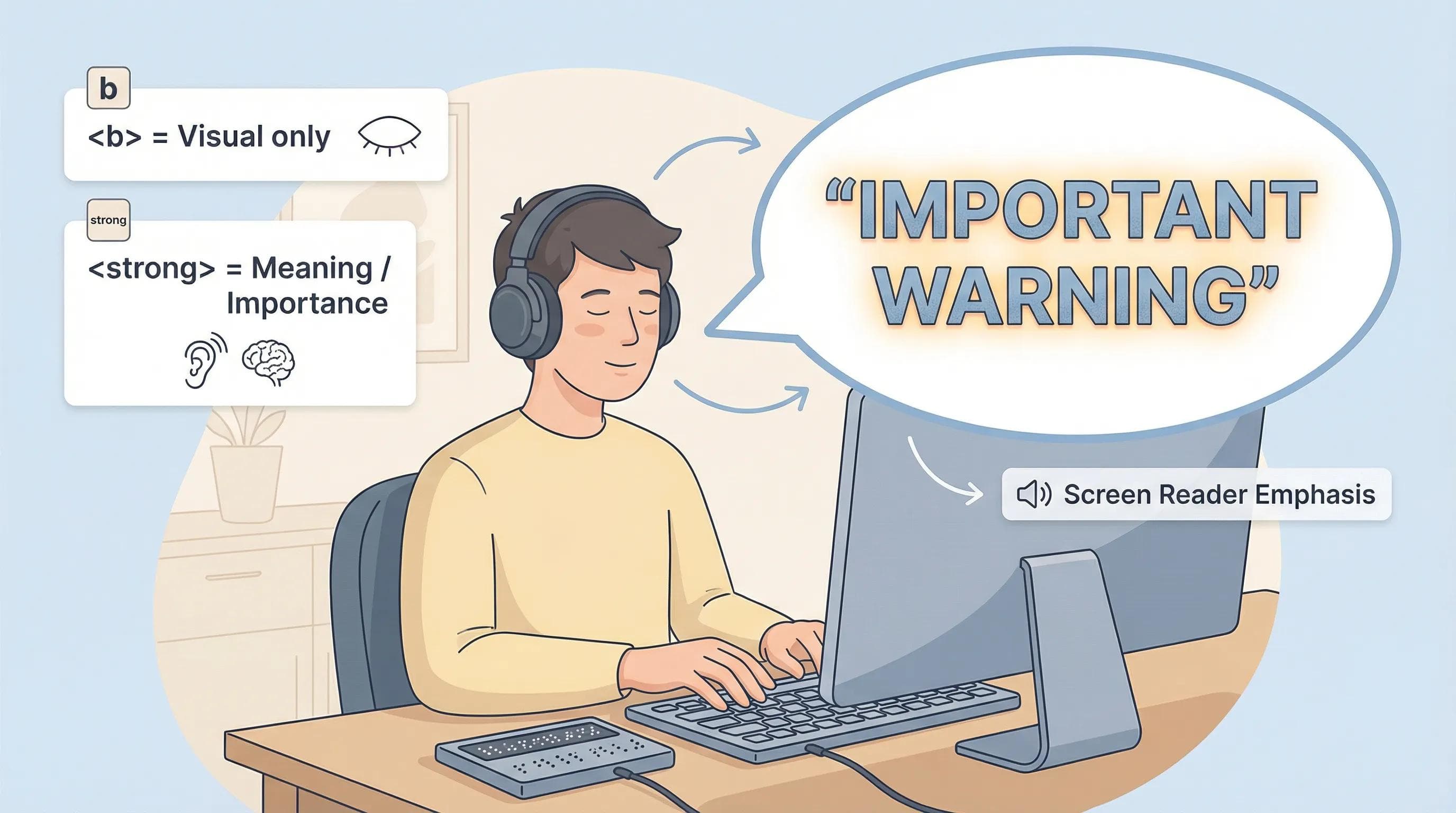
The AI Angle: You are the Editor
Since we are learning in 2026, let's talk about AI.
ChatGPT is great at writing content, it can write a 1000+ words of essay for you in seconds. But AI is bad at hierarchy. It often messes up
<h2> vs <h3> or forgets to use <strong> for key terms.AI writes the story, but YOU are the Editor!
You must review the code AI gives you and ensure the Heading Hierarchy makes sense for SEO.
Practical Task: The "About Me" Page
Let’s combine everything we learned (Headings, Paragraphs, Horizontal Lines, and Formatting) to build your first real content section.
Delete everything inside your
<body> tag and type this:html
<body>
    <h1>[Your Name]</h1>
    <h2>Frontend Developer & Creator</h2>
    <hr> <h3>About you</h3>
    <p>
    Hi! I am a <strong>passionate</strong> developer learning to build the websites.
    I don't just write code; I write <em>logic</em>.
    </p>
    <h3>Your Hobbies</h3>
    <p>Hobby, Hobby and Hobby.</p>
</body>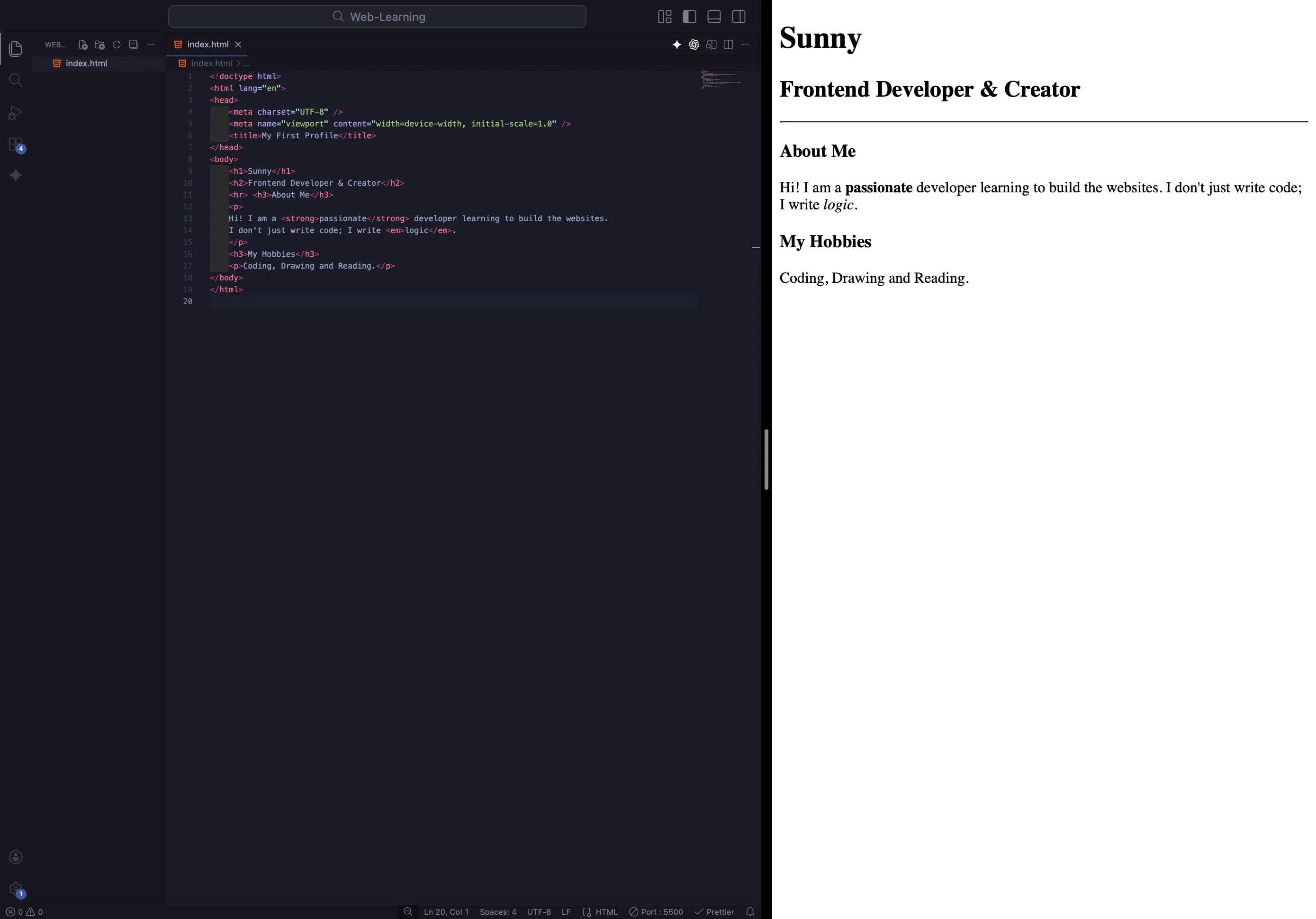
Time to Experiment!
Don't just copy-paste this! Go ahead and play with the code. Try making different words <strong>, change the <h2> to an <h3>, or add a completely new paragraph about your favorite food. The best way to master these concepts is to break things and see what happens!
Conclusion
Look at that! You now have a page that makes sense. It has a title, sections, and properly emphasized text.
But wait... Our tags are still a bit "simple." But what if we want to give our tags a unique name? What if we want to change the color of just one paragraph but not the others? What if we want to add a tooltip when someone hovers over our title?
To do that, we need to give our tags Superpowers.
So for that in our next blog, we will unlock HTML Attributes. We will learn how to assign ID Cards (id) and Uniforms (class) to our elements so we can control them like a puppeteer.
See you in the next post!
You can Read next part from here - READ NOW!
HTML Series: Your First Step in Modern Web Development (2026)
Step 4 of 22